• Skip to main content
  • assistive.skiplink.to.breadcrumbs
  • assistive.skiplink.to.header.menu
  • assistive.skiplink.to.action.menu
  • assistive.skiplink.to.quick.search
  • Metropolia.fi
  • Curricula
  • Wiki
  • Moodle
Metropolia
Menu
    • Attachments (1)
    • Page History
    • Page Information
    • Resolved comments
    • View in Hierarchy
    • View Source
    • Export to PDF
    • Export to Word
  • Browse
    • Pages
    • Blog
    • Labels
    • Space Operations
  • Metropolia Login
  • Haka Login
  • Visitor Login

IT Services

  1. Dashboard
  2. IT Services
  3. …
  4. Front page
  5. Software and Systems
  6. Publishing, Collaboration and Project Management
  7. Confluence Wiki
Print
Main navigation

How to use wiki in Metropolia?


.
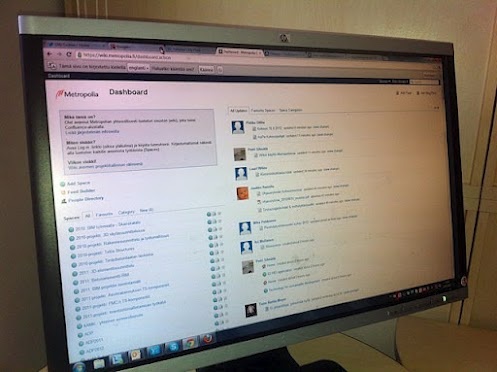
Wiki is a tool and method for collective media, which can be used to produce interactive WWW-pages in e.g. group work (wiki). The administrator of the workspace can assign its users, who are able to edit areas that the administrator has given rights for.

Wiki in Metropolia
Wiki is mostly used for teaching, project communications and think tank activities in Metropolia. Most of the workspaces are open for the entire staff and students of the school.

How to get started?
Students and employees are able to create wiki spaces for personal or collaborative use.

More instructions about creating a wiki page are in the Quick Quide. 

You may create a new collaborative wiki space for studies (including projects, reports and think tank activities). Collaborative spaces must be initialized at the IT Services before use. Send a free-form  request to Helpdesk (https://hd.metropolia.fi).


Wikin käyttö Metropoliassa

Start here!

A Quick Guide for the Metropolia wiki

  • Created by Petri Silmälä, last updated on 23.2.2024 1 minute read
  • wiki
  • social
  • media
  • rev
  • updated2019
Overview
Content Tools
Apps
Pages
Blog
Labels
Space Operations
  • Powered by Atlassian Confluence 9.2.15
  • Printed by Atlassian Confluence 9.2.15
  • Report a bug
  • Atlassian News
Atlassian